
How to Keep Multiple Class Sections on the Same Pacing Schedule
Teaching four sections of the same course should make lesson planning easier.
After all, the curriculum is the same, the learning objectives are the same, and students are working toward the same assessments.
But classroom schedules rarely cooperate.
One section loses a period to an assembly.
Another has a field trip.
A third needs additional time to understand a difficult concept.
By the following week, each section is working on a different lesson.
Now the teacher faces a difficult question:
How can all four classes get back on schedule without sacrificing essential instruction?
This is where multi-section pacing management becomes important.
WHY MULTIPLE CLASS SECTIONS FALL OUT OF SYNC
Even when teachers begin with identical lesson plans, instructional time can vary significantly.
Common causes include:
School assemblies.
Testing schedules.
Field trips.
Unexpected closures.
Professional development days.
Shortened class periods.
Different rates of student understanding.
Additional practice or reassessment requirements.
Schedule interruptions.
A small difference early in a unit can become a much larger problem when several interruptions accumulate.
Teachers need a clear way to identify these differences before they become unmanageable.
START WITH A MASTER LESSON SEQUENCE
The first step is establishing a common instructional plan.
Instead of maintaining completely separate lesson sequences for every section, create one master sequence showing:
Lesson numbers.
Learning objectives.
Expected instructional time.
Unit checkpoints.
Assessment dates.
Required instructional milestones.
This becomes the reference point against which individual sections can be compared.
Teachers can then identify where each class currently stands within the same sequence.
TRACK EACH SECTION SEPARATELY
Consider a teacher managing four sections of Grade 8 science.
At the end of the week, progress might look like this:
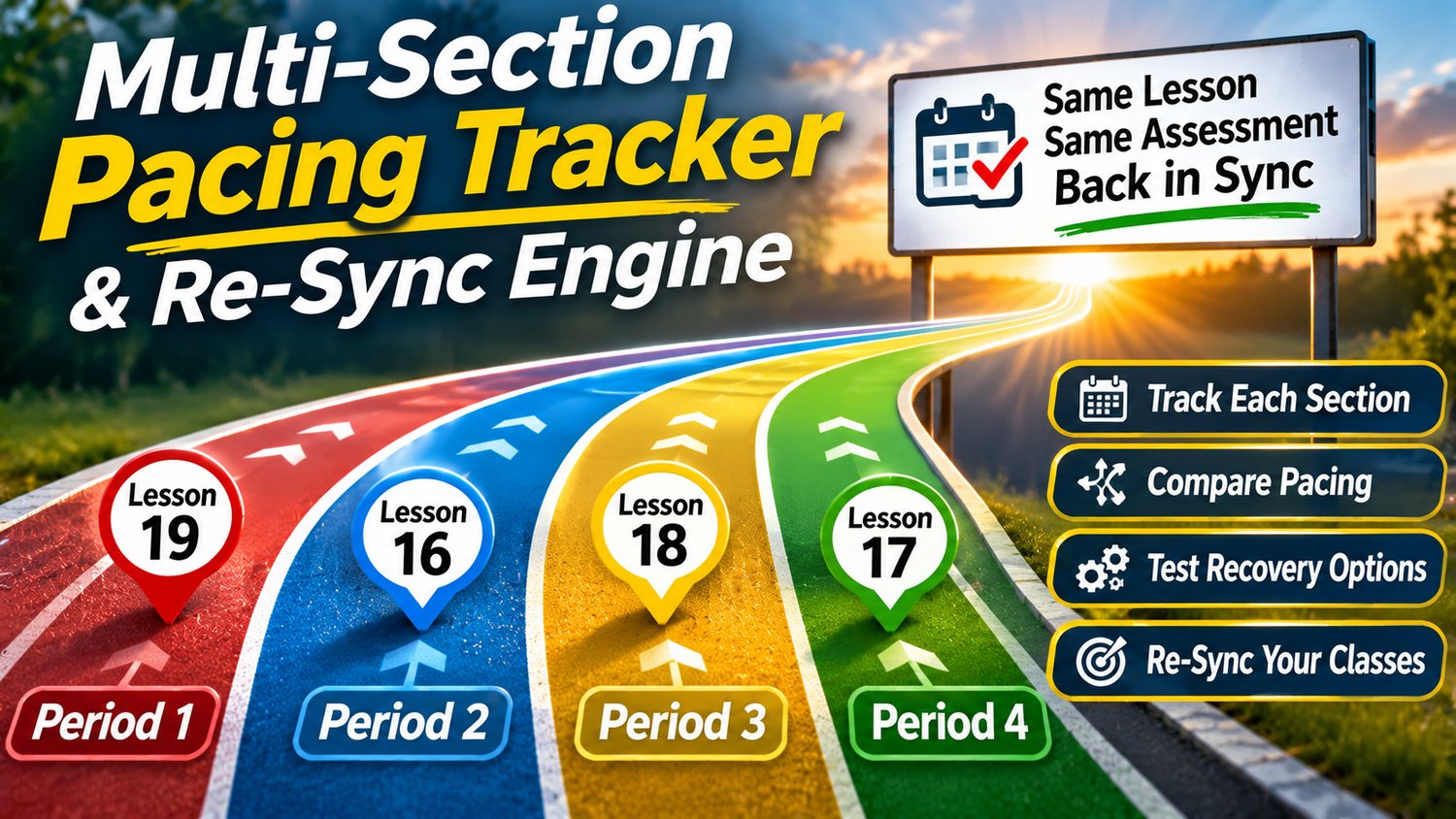
Period 1: Lesson 18 completed.
Period 2: Lesson 16 completed.
Period 3: Lesson 19 completed.
Period 4: Lesson 17 completed.
The fastest section is three lessons ahead of the slowest.
That difference is called pacing drift.
But knowing the difference is only the beginning.
The teacher also needs to understand how much instructional time remains before the next shared milestone.
IDENTIFY THE NEXT IMPORTANT MILESTONE
Not every pacing difference requires immediate correction.
Two sections may be working at slightly different speeds without creating a meaningful problem.
The situation changes when a shared assessment, laboratory activity, project, or unit transition approaches.
For example, all four science sections may need to complete Lesson 24 before a common assessment.
The teacher must determine whether every section can realistically reach that milestone within the available instructional periods.
If not, the teacher needs to evaluate appropriate recovery options.
DISTINGUISH PACING DIFFERENCES FROM INSTRUCTIONAL PROBLEMS
A section being behind schedule does not automatically mean the teacher should accelerate instruction.
Students may need additional time to master an essential concept.
Teachers should distinguish between:
Instructional time lost to scheduling.
Lessons requiring additional practice.
Activities that can appropriately be reorganized.
Required content that cannot be reduced.
Upcoming assessments that may need adjustment.
The goal is not to force every class to move at an identical speed regardless of student needs.
The goal is to identify realistic options while preserving instructional quality.
IDENTIFY TEACHER-APPROVED RECOVERY OPTIONS
When sections fall behind, teachers may have several possible responses.
These might include:
Reorganizing optional practice activities.
Combining compatible lesson components.
Moving a flexible activity to another date.
Adjusting the timing of a review session.
Changing an assessment date where permitted.
Using available instructional periods more effectively.
Not every option is appropriate for every course.
Required curriculum, instructional accommodations, school schedules, and assessment policies must still be respected.
Teachers should determine which changes are permitted before using any scheduling calculation.
COMPARE RECOVERY OPTIONS BEFORE CHANGING THE PLAN
Suppose a section is three lessons behind.
The teacher identifies three permissible adjustments that could recover instructional time.
One adjustment might save one period.
Another might save two.
A third might save one additional period but require significant changes to the teacher's existing plans.
Which combination creates the smallest disruption while reaching the required milestone?
That is a planning problem.
And when a teacher manages several sections, manually comparing every possible combination can become time-consuming.
This is where a calculation-based pacing system can help.
KNOW WHEN A RE-SYNC IS NOT POSSIBLE
Sometimes the available instructional periods and permitted recovery actions simply aren't enough.
That's important information.
A planning system should not pretend that every schedule can be repaired.
If there is no feasible path under the teacher's current rules, the teacher can reconsider the milestone, explore additional permitted options, or consult the appropriate instructional leadership.
Recognizing an impossible schedule early is often more useful than discovering the problem the day before an assessment.
USE A MULTI-SECTION PACING TRACKER TO REDUCE REPETITIVE PLANNING
Valley & Pines Publishing developed KEEP THEM TOGETHER™, a Multi-Section Pacing Tracker and Re-Sync Engine for teachers managing multiple sections of the same course.
This Microsoft Excel workbook goes beyond recording which lesson each class has completed.
It helps teachers calculate pacing differences, evaluate available instructional time, and test approved options for bringing sections back into alignment.
The system includes:
Tracking for up to eight course sections.
A master sequence supporting up to 60 lessons.
Section-by-section pacing inputs.
Teacher-defined instructional milestones.
Up to ten teacher-authorized recovery actions.
Automated comparison of recovery combinations.
A minimum-change recovery recommendation when a feasible option exists.
Warnings when no valid recovery path is available.
A teacher-facing pacing dashboard.
Built-in sample data.
The engine evaluates 1,024 possible recovery-action combinations per section using the teacher's inputs.
Teachers remain responsible for deciding which adjustments are educationally appropriate and permitted.
PRIVACY-FIRST CLASSROOM PLANNING
One practical advantage of the system is that student-level personal information is unnecessary.
Teachers can identify sections using labels such as:
Period 1.
Block B.
Grade 8 Science.
Morning English.
No student names, grades, medical information, or accommodation records are needed for the pacing calculations.
The workbook operates locally in Microsoft Excel, and Valley & Pines does not host the information entered into the file.
WHO IS THIS RESOURCE FOR?
The Multi-Section Pacing Tracker is designed for teachers in Grades 6–12 who teach multiple sections of the same or substantially similar course.
It may be useful for:
Middle school teachers.
High school subject teachers.
Teachers managing multiple class periods.
Department teams reviewing common pacing milestones.
Educators coordinating common assessments.
Teachers working with interrupted or changing instructional schedules.
The goal is to make pacing adjustments easier to evaluate and explain.
EXPLORE THE MULTI-SECTION PACING TRACKER
KEEP THEM TOGETHER™ — Multi-Section Pacing Tracker and Re-Sync Engine | Teacher Planning Spreadsheet
Available on Teachers Pay Teachers for $19.99 USD.
DIRECT PRODUCT LINK:
https://www.teacherspayteachers.com/Product/Multi-Section-Pacing-Tracker-and-Re-Sync-Engine-Teacher-Planning-Spreadsheet-17862781
The resource is a Microsoft Excel (.xlsx) workbook with protected calculation formulas and editable teacher input areas.
KEEP CLASSES ALIGNED WITHOUT SACRIFICING GOOD INSTRUCTION
Managing several sections of the same course doesn't mean every class will progress identically every day.
Unexpected interruptions and different learning needs are part of teaching.
What matters is recognizing when pacing differences become significant and identifying appropriate ways to respond.
A structured pacing system helps teachers see where each section stands, understand upcoming constraints, and compare recovery options before changing their instructional plan.
The objective isn't simply keeping every class on the same page.
It's maintaining a realistic, well-organized instructional sequence while making thoughtful decisions about the time available.